An owner's manual for your
Agentic Harness Model AH-1
Answering is not acting.
This is the owner's manual for an AI assistant that talks to your customers. Not for the model inside it, but for the harness around it: what each control does, how far the assistant may go at each door, what “ready” honestly means at every stage, and how to start building your own with Deyaf today.
- Manufacturer
- Deyaf by Feniex
- Reference unit
- EVE, Feniex's assistant
- Autonomy
- Three levels, set per door and per task
- Master switch
- None, by design
Contents
- 1Safety instructions03
- 2What this appliance is04
- 3Controls overview05
- 4Setting the autonomy level06
- 5Operation: first use07
- 6Readiness indicators08
- 7Troubleshooting09
- 8Specifications: EVE at Feniex10
- 9The chat box and the phone door11
- 10Care and maintenance12
- 11Questions at the service desk13
- 12Warranty card14
- ·Referenced documents15
Symbols used in this manual
- 9
- A numbered control on the device. Section 3 explains all twelve.
- A person's yes. The only yellow on the panel, and the only way a level-2 draft leaves.
- Connected and tested. Lamps light one door at a time.
- Selected but not connected: intent is recorded, nothing answers.
- Illus.
- An illustrative example or model of behavior, never a live transcript.
- Dated
- A measured figure. It always carries its date and its source.
Safety instructions
Read before first use. An assistant that speaks for a business carries the business's name into every conversation, so its first safety feature is a list of things it is built not to do. Each line is written the way a good harness enforces it: as what the assistant does instead.
- 1.1It answers from approved knowledge.It will not invent a fact, a price or a policy to fill a gap. Unknown stays unknown.
- 1.2It says only what the result proves.Saved, drafted, sent and resolved are different states, and it never reports one as another.
- 1.3It hands decisions to your team.It claims no authority to approve returns, change accounts, place orders or decide sensitive matters.
- 1.4It never pretends to be a person.It has a name and a manner, not an age, a body or feelings.
- 1.5It looks up live facts fresh.Orders, invoices, shipments and balances come from the live record, never from an old note.
- 1.6It never guesses between accounts.A returning customer's context is limited to that one account. When several match, it asks.
- 1.7It moves up one task at a time.No single switch lets it do everything. Each door and each task is set on its own.
- 1.8It learns only from reviewed lessons.Answering a customer and teaching a lesson are separate acts. Raw conversations never become knowledge on their own.
- 1.9It treats a chosen door as intent.Choosing a channel does not connect it. A door answers only after it is connected and tested.
- 1.10It speaks the languages it was set up for.Not every language on earth. EVE, the reference unit, speaks exactly five.
What this appliance is
Fluency is not permission. A language model can write a refund confirmation as smoothly as it writes your opening hours. Everything in this manual exists to keep those two apart.
Every AI assistant that talks to customers is two things joined together. One is a language model, the part that reads a message and composes a reply. The other is everything around it, and that second part is what this manual calls the appliance. Deyaf's definition is the one used throughout:
The industry has arrived at the same split from several directions. LangChain's engineers write it as an equation, agent equals model plus harness, and derive each component from something the model cannot do on its own. Philipp Schmid compares the model to a processor and the harness to the operating system that decides what the processor may touch. Anthropic's guide to building agents separates workflows, where code sets the path, from agents, where the model chooses its own steps, and recommends the simplest arrangement that does the job. Anthropic's infrastructure team has since split the session, the harness and the sandbox into separate pieces, so each can be replaced without the others.
Note · Fig. 2Deyaf's short version of the same idea: “Not one big model. A system around one.” The model is one step of four: listen, look it up, check the rules, reply.
Read those framings together and one consequence stands out. A model's output is only words. Whether those words become an answer, a draft or a change in the world is decided outside the model, by code the model cannot talk its way past. Anthropic describes its own containment the same way: a deterministic boundary catches what probabilistic defenses miss. That boundary is where answering and acting part company, and it is the reason this manual has its title.
The reference unit for this manual is EVE, Feniex's assistant. Feniex is pronounced like “Phoenix”. EVE answers Feniex's customers on the website, on the phone, by text and by email, and she is the harness this manual describes in working order. EVE runs on the Agentic Harness Deyaf packages: her knowledge, memory, doors, rules and learning loop. Put the other way round, Deyaf is built from EVE: the harness that runs EVE at Feniex, packaged so another business can have an assistant of its own. Deyaf's own shorthand is hard to improve: EVE is the voice, and the harness is everything behind her.
Controls overview
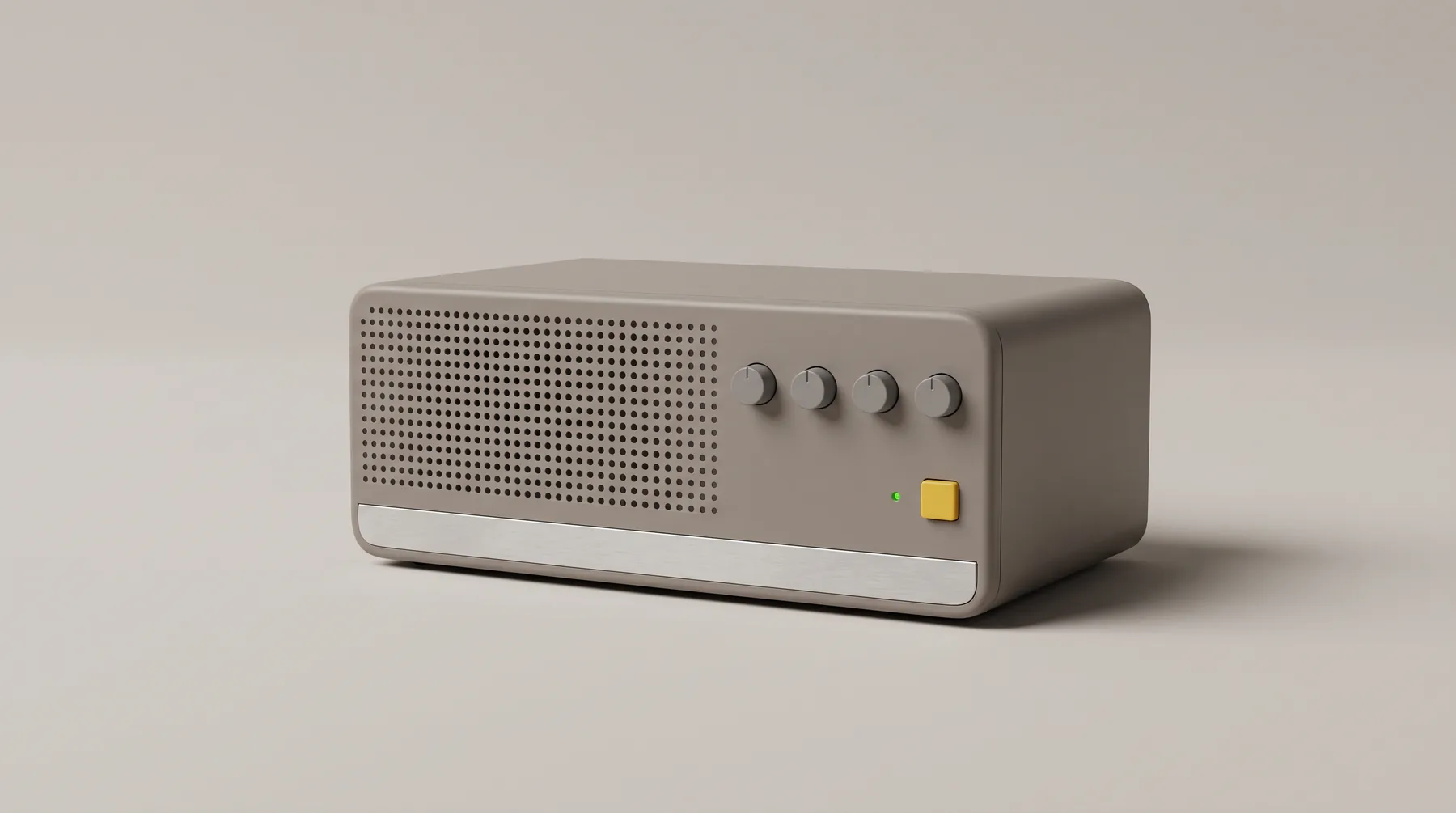
Good industrial design holds that a product should explain itself. A good harness should too. Whoever builds it, it exposes the same few controls, and each numbered part below corresponds to one of them.
Five groups matter most. What it knows: an approved library of documents, product records and taught lessons, and nothing else, which is why the library switch has no second position. What it remembers: four kinds of memory, each with one job, from this conversation to the reviewed library. Where it meets customers: the doors, each with its own dial and its own lamp, because it is one assistant, every way in. What it may do: the dials themselves, three positions each. And how your team teaches it: the care routine in section 9. Deyaf summarizes the answer path in one line: the model is one step of four. Listen, look it up, check the rules, reply.
Where the voice doors speak: website voice and the phone line. Same knowledge and rules as the written doors; only delivery changes.
States in words what each door will do right now. Nobody should have to guess what state the assistant is in.
Autonomy for website chat: 1 answer only, 2 prepare for approval, 3 run an approved task.
The same three positions, set independently of chat.
Replies go back to the sender. The model never chooses a destination.
Replies stay in the thread. The reply writer returns words, not an envelope.
One per door. Lit means connected and tested. A lit chat lamp never lights phone.
Sends one sample message to every connected door, so each setting can be seen at work.
A person's yes. The only yellow on the panel, and the only way a level-2 draft leaves.
Every approved release and every level-3 task prints a receipt, because saving is not delivery.
Locked on “approved only”. There is no position for making things up.
Where a master autonomy switch would go. There isn't one.
Setting the autonomy level
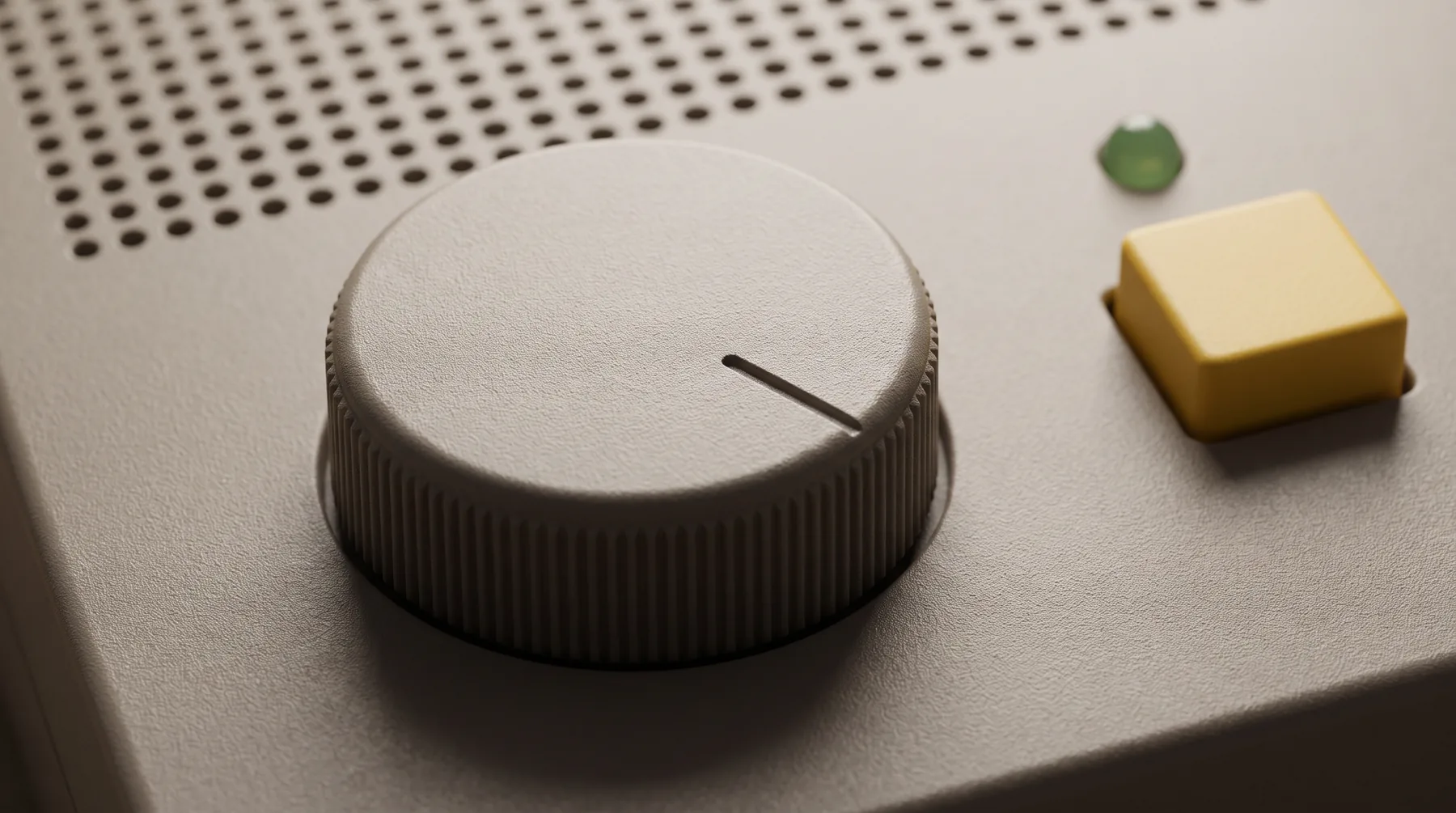
Autonomy in AH-1 is not a slider for the whole assistant. It is a dial for each door and, inside each door, a decision for each task. Deyaf publishes the ladder with three positions, and every assistant starts at the first.
-
Level 1
Answer only
Where every assistant starts. It answers from approved knowledge and hands the rest to your team.
-
Level 2
Prepare for approval
It drafts the reply or the change, and a person approves each one.“Nothing leaves until someone says yes.”
-
Level 3
Run an approved task
One named task at a time, one you choose and approve.“With a receipt every time.”
Try it. Turn a dial by clicking it, or focus it and use the arrow keys. Press a lamp to connect or disconnect that door. Press In to send one sample message to every connected door, then Yes to release whatever is waiting.
Email at level 2: drafts the reply; nothing leaves until someone says yes.
Phone stays at level 1: answers from approved knowledge and hands the rest to your team.
- CHATL1 · Answer onlyConnected
- PHONEL1 · Answer onlyConnected
- TEXTL1 · Answer onlySelected, not connected
- EMAILL2 · Prepare for approvalConnected
No receipts yet. A receipt prints when a person approves a draft or a level-3 task runs.
Why the panel is built this way
Three details are deliberate. First, the lamps are independent. Readiness is tracked per capability, so a working chat door tells you nothing about the phone line, and each door is connected and tested on its own. Second, level 2 is where most consequential work should live for a long time. Drafting is not sending, saving is not delivery, and delivery is not resolution; the yellow key marks the only crossing. Third, the blank plate stays blank. Deyaf's wording is exact: there is no single switch that lets her do everything, and answering is not acting.
Outside research points the same way, if not always in the same words. Gartner warned in May 2026 that applying one uniform governance model across AI agents leads to failure, and described autonomy in four levels, from observing and advising through acting with approval to acting autonomously. LangChain's human-in-the-loop tooling is configured tool by tool, with a person able to approve, edit, reject or respond. OpenAI's practical guide to agents recommends returning control to a human when failure thresholds are crossed or an action is high-risk. And NIST's AI Agent Standards Initiative, announced in February 2026, treats an agent's identity and authorization as problems of their own, not something a generic service account can stand in for.
The caution also runs the other way. Anthropic reported that sandboxing cut permission prompts in its own coding agent by 84% Vendor-reported, and explained why that mattered: people shown too many prompts stop reading them. An approval gate that fires on every harmless reply trains the approver to press yes without looking. The remedy is placement, not volume. Level 1 for questions. Level 2 for anything that leaves the building. Level 3 only for one named task whose drafts a person has already approved many times over.
Service referenceDeyaf's three-level ladder: you choose each step up
Operation: first use
Deyaf's builder is the quickest way to set the first controls for your own business, and it is candid about what it is. Four steps, in the browser, with no account. You can try the builder in about ten minutes; that time covers a preview and a saved setup, not a live door.
- Your business.
Name your assistant, your business and the one job it should help with. The name field starts empty, so nobody inherits EVE's.
- What it knows.
Paste a short company brief or import a text or Markdown file. The builder shows exactly which text will supply each answer.
- How it helps.
Pick a tone, the doors you want and a simple approval rule. Choosing a door records your intent; it connects nothing.
- Try it.
Ask a question. The answer comes back as quoted passages from your own notes, marked “Knowledge preview · quotes your notes, no live AI”. Anything spoken aloud is a device voice preview in your browser's own voice, not a production voice.
- You ask
- Do you ship to Canada?
- Preview
- Your notes don't answer this yet. A live assistant would hand this question to your team.
- You teach
- Taught: We ship to Canada. Delivery times vary by province.
- Next ask
- The preview now quotes the taught line and names it as the source: a miniature of the learning loop in section 10.
The draft is saved in your browser, can be cleared at any time, and can be downloaded as a setup file. Because the preview searches only the text you provide, Deyaf's Trust page suggests using sample or non-sensitive content while you try it. Creating an account is always a separate, deliberate step; viewing a preview never sets anything up on a server.
Note · Setup time“About ten minutes” covers the preview and a saved setup. Going live needs activation and a security review (section 6).
Quick-start cards Included
Each card opens the builder with a job already filled in. Start with one good job and grow from there.
Readiness indicators
A harness should be as honest about its own state as it is about a customer's order. Deyaf names seven readiness states, each with the evidence it requires and the exact sentence the product may show. No lamp lights before its evidence exists.
“Your preview setup is saved in this browser”
- Evidence required
- The setup exists in your browser's storage.
- Not yet true
- No account exists, and nothing has been sent anywhere. The preview quotes your notes; it is not live AI.
“Your account is ready”
- Evidence required
- An account is written and you are signed in.
- Not yet true
- No workspace is prepared and no assistant is running.
“Your workspace is prepared”
- Evidence required
- Business, owner, policies, knowledge and a report are saved.
- Not yet true
- No live AI answer has been produced. Every door you selected still reads “awaiting connection”.
“Chat is ready”
- Evidence required
- A real test answer, scoped to your business, succeeds.
- Not yet true
- Phone, text and email are not ready because chat is. Readiness is per capability.
“This channel is connected”
- Evidence required
- That channel's credentials and a real delivery test succeed.
- Not yet true
- Only that channel. Every other door needs its own credentials and its own delivery test.
“This tool is connected”
- Evidence required
- Permissioned credentials are verified with the tool's provider.
- Not yet true
- A connected tool does not raise any door's autonomy level. Its permission is its own.
“Your pilot is live”
- Evidence required
- Runtime and channel tests, limits and recovery checks all pass.
- Not yet true
- A pilot is not a broad release. Doors and tools arrive one at a time, and live service requires a completed security review.
Deyaf's current early-access release covers the first three lamps: the preview, the account and the prepared workspace. Everything after that is activation, and the product says so in plain words: “Choosing a channel records your intent. It does not authorize a mailbox, activate a phone number, or connect a company account.” The starting plan requires human review before external messages, record changes or commitments. For the full comparison, see what you get today, and what switches on later.

What activation and general availability require
These are requirements, listed as unchecked boxes on purpose. None is claimed as available today.
- Single sign-on, multi-factor sign-in and automated user provisioning
- Short-lived signed sessions and verified account recovery
- Encryption at rest with a separate key for each business
- Tested isolation between businesses, down to the data layer
- Managed secrets with rotation
- Rate limits, quotas, backups and published recovery targets
- Real connectors, added one at a time
- Observability, service objectives and continuous integration
- A compliance program with third-party audits
- Data export, deletion and billing
Launch gates, in order, without dates
- A usable public explanation Delivered
- One real business using one real assistant
- Public accounts that are operationally safe
- Channels and tools added one at a time
- Charging for a defined offer
- Broader release
“No security certifications, dedicated infrastructure, regional hosting choices, or production compliance guarantees are claimed. Live customer service requires activation and a completed security review.”
Service referenceGoing live: switch on each door deliberately
Troubleshooting
Most of what looks like a fault in a well-built harness is the harness working. Filter by where you noticed it, or type what you saw.
Showing 12 of 12
| Symptom | Cause | Remedy |
|---|---|---|
| I chose phone in the builder, but no one can call it.Setup | Choosing a door records your intent. It doesn't activate a number. | Phone is connected and tested separately, during activation. Until then its lamp stays hollow. |
| The preview only quotes my own notes.Setup | The knowledge preview is search inside your browser, not live AI. | Working as intended: it shows exactly which text would ground a live answer. Improve the text, then ask again. |
| The preview's voice isn't the one I'll get.Setup | Speech in the builder is a device voice preview, using your browser's voice. | Expected. The builder's speech is a device voice preview, not a production voice. |
| It says a source isn't connected yet.Answers | That door or tool hasn't been activated. | Connect it deliberately and test it. Until then the honest message is correct: fake grounding is worse than none. |
| It said it couldn't check a price.Answers | The lookup failed. A failed lookup means “I couldn't check”, not “it doesn't exist”. | Check that the source is reachable. Don't teach a workaround answer to cover an outage. |
| It handed off a question instead of answering it.Answers | No approved source answers it. Unknown stays unknown. | Answer it once in the teach queue. After review, it becomes a lesson for next time. |
| A reply is sitting in the tray.Approvals | That door is at level 2. Nothing leaves until someone says yes. | Approve, edit or reject it. If you approve the same kind of draft every time, consider moving that one task, not the whole door, to level 3. |
| It won't approve a customer's return.Approvals | By design. It claims no authority over returns, accounts, orders or sensitive decisions. | It hands the matter to your team with the details. Route it to the person who decides. |
| It didn't say “with the support team”.Doors | The help desk hasn't confirmed the ticket, and it says only what the result proves. | Check the help-desk connection. The item is durable, and an uncertain submission is never blindly retried. |
| Chat works, but the phone doesn't answer.Doors | Readiness is per capability. A ready chat door doesn't light phone. | Activate the phone door on its own, with its own delivery test. |
| It remembered a note but looked the order up again.Memory | Customer notes are short and historical, never current facts. | Nothing to fix. Orders, invoices, shipments and balances are always looked up fresh. |
| It asked which account the customer meant.Memory | Several accounts matched, and it never guesses between them. | Expected. The customer clarifies and the conversation carries on. |
| No matching symptom. Try another word, or read the questions in section 11. | ||
Specifications: EVE at Feniex
A manual closes its technical section with a data sheet for the unit it describes. Ours is EVE, the assistant Feniex runs on this harness and the one Deyaf was built from.
EVE is Feniex's warm, composed public face. She helps people choose suitable equipment, make a buying decision, or get support for equipment they already own. She answers first, gives one useful next step, then stops, usually in two or three sentences, and asks for one missing detail at a time. She respects a budget, recommends the simpler option when it is enough, and never adds a sales pitch to a support question.
Her scope is set in code, not in tone. Her four core public actions are to look something up, search the taught library, take a message, and record an unanswered question; the tool list and server-side queries enforce that scope. The model cannot choose which account to read or where a reply is sent. She checks the applicable record before any exact product, compatibility, warranty, price or software claim, because a convincing product name is not evidence. And she describes only the action the result proves: saved, drafted, sent, uncertain, acknowledged or resolved. Deyaf's Trust page puts her place on the ladder simply: “Every assistant starts at level one, and each task moves up separately. EVE works the same way at Feniex.”
| Designation | EVE, who introduces herself as “Eve, Feniex's intelligence” |
|---|---|
| Nature | Software with a named personality. No age, no body. Her name and voices are Feniex's; an assistant you build gets its own. |
| Doors | Website chat · website voice · phone · text · email. One identity, one library, one rule set; only delivery changes. |
| Languages | English (American), Spanish (Mexican), French (Québec), Portuguese (Brazilian), Arabic (Modern Standard). One English library inside, the customer's language outside, and one fixed voice per language. |
| Phone line | Overflow and after hours: the team's phones ring first, and EVE answers instead of voicemail. No transfers, by design; she answers from her library or takes the caller's name and number for the team. Every call transcribed. Recorded fallback. 10-minute maximum. |
| Memory | This conversation · the conversation record · customer notes (never current facts) · her library |
| Knowledge Dated | 558 company documents · 21,854 facts · 116 products · 2,000+ lessons, counted Sep 24, 2026 |
| Speed Dated | About 3 s to a finished reply in website chat and on the phone (chat: first word 1.4 s, finished 2.7 s; phone: 1.6 s and 3.0 s) |
| Phone use Dated | 102 calls answered in her first week on the line, from Sep 17, 2026: 86 while the team was busy, 16 after the office closed. 93% of callers stayed and talked. 60 were handed straight to the team, details taken, never transferred. Answer quality is measured separately: 86% handled well, 10% material error (report card below). |
| Hand-offs Dated | 0 lost, Sep 16–23, 2026. Every one sent reached the team. |
As of September 24, 2026 · Feniex's internal Eve 3.0 report · machine-judged and provisional. Figures are Feniex's own, not an independent benchmark. EVE's numbers, measured not promised
Performance data: report card
Graded on September 23, 2026, against 100 fixed test questions and the team's own answers. The error rate sits beside the success rate on purpose.
Trend: 88% (Sep 17) → 90% (Sep 21) → 86% (Sep 23). Not a steady climb; the latest point is lower.
As of September 24, 2026 · Feniex's internal Eve 3.0 report · machine-judged and provisional. EVE's report card, weak spots included
| Fully answered | 65 | |
|---|---|---|
| Handled safely, within limits | 17 | |
| Asked the right question back | 4 | |
| Handled well (the three rows above) | 86 | |
| Useful but partial | 4 | |
| Material error | 10 |
| Reworded questions | 100%15/15 | |
|---|---|---|
| From the manuals | 95%38/40 | |
| Trick questions | 95%19/20 | |
| Real customer wording | 80%8/10 | |
| Past trouble spotsQuestions she used to get wrong, kept in the test on purpose | 40%6/15 |
One figure deserves a second look: 40% on past trouble spots. Those are questions EVE used to get wrong, left in the test deliberately so that a fix is proven rather than assumed. A report card that dropped them would score higher and mean less. An assistant you build starts fresh, with your own knowledge and its own measurements.
The chat box and the phone door
Two doors carry most of the traffic: the box in the corner of your website, and the phone line when nobody is free. Both open onto the same assistant, with the same library and the same rules as every other door. Only the delivery changes.
The phone door never puts a call through. No transfers, by design: the assistant answers from its library, or takes the caller's name and number and hands the matter to your team.
9.1 Chat box: what the panel shows
- A streaming reply.
Words appear as they are written. It answers first, gives one useful next step, then stops, usually in two or three sentences.
- Context that rides along.
The page and the product the visitor is looking at travel with the question, so nobody has to describe what is already on screen.
- Product and resource tiles.
Structured tiles sit under the answer. Before any product, compatibility, warranty, price or software claim it checks the exact record: a convincing product name is not evidence.
- This conversation only.
A bounded history. It asks for one missing detail at a time, says only what the result proves, and never pretends to be a person.
9.2 Phone door: call sequence
| Ring | Your team's phones ring first. |
|---|---|
| No one free | When no one is free or the office is closed, EVE answers instead of voicemail: “Hello, this is Eve, Feniex's intelligence. How can I help you?” |
| About 1.5 s | “One moment” |
| Look-up starts | “Let me check on that” |
| About 4 s | “Still checking”, repeated about every four seconds, so the line is never silent |
| Outcome | An answer from the library, or the caller's name and number handed to the team. |
| Limits | Every call transcribed · a recorded fallback if the assistant is down · 10-minute maximum · web addresses never read aloud |
Note · LanguagesCallers in Spanish, French or Portuguese are answered in that language's own voice.
The hand-off is the same at both doors. An unanswered question becomes a durable item, a support ticket is filed when contact details are available, and the words “with the support team” are said only once the ticket is confirmed accepted.
Service referenceThe same EVE at every door EVE on the phone line
Companion documents in this library
| Ref. | Document | What it covers | Section |
|---|---|---|---|
| L-21 | The Box in the Corner | Inside a website chat box, as a comic: what rides along, the stream, the tile, the hand-off | § 9.1 |
| L-22 | From Script to Source | A history of the chat box, from live chat and scripted bots to answers from sources | § 9.1 |
| L-23 | Mind Your Manners | Chat-box etiquette: say it's AI, answer then stop, an honest path to a person | § 9.1 |
| L-24 | Nobody Has to Hold | Automatic call taking: overflow, after hours, the never-silent cues | § 9.2 |
| L-25 | Press 1 Is Over | Call routing: phone trees, queues, intent routing, and why no live hand-over | § 9.2 |
| L-26 | The Elements of a Phone Assistant | Every part of a phone assistant, laid out as a periodic table | § 9.2 |
Care and maintenance
An assistant does not keep itself current. Care, in this manual, means the teach queue, and it follows one rule above the rest: answering the customer and creating a reusable lesson are separate operations.
When the assistant can't answer, the question becomes a durable unanswered item and, when contact details are available, a support ticket for your team. A person answers once. The answer is checked, then taught: an approved question-and-answer pair enters the library, and the lesson and its receipt are committed together. The next customer who asks gets the answer. Raw conversations never become public knowledge on their own, and contact information is stored apart from the library and never copied into it.
At Feniex the routine has a measured shape. Support tickets and calls are folded into a redacted, de-duplicated question book. EVE is measured on a frozen test set without making live changes, only explicitly approved lessons are published, and then she is measured again. This is a supervised knowledge-improvement loop: not fine-tuning, and not training on every raw conversation.
Note · Who writesHumans author public knowledge; the harness measures and proves it. A lesson that turns out wrong can be quarantined and restored later.
| Daily | The teach queue: a person answers, once, what the assistant couldn't |
|---|---|
| Monthly | Support tickets, folded into the question book |
| Every 60 days | Call recordings, folded into the question book |
| Before teaching | Measure on the frozen test set, with no live changes |
| After teaching | Measure again |
The discipline matches what evaluation researchers recommend. Anthropic's guide to agent evaluations separates capability tests from regression tests, suggests starting with twenty to fifty real failures, and distinguishes pass@k, whether any of several tries succeeds, from pass^k, whether every try does. A customer desk lives or dies on the second number, because a customer gets one try. Keeping past trouble spots in the test, as EVE's report card does, is exactly what a regression suite is for.
Service referenceThe loop that makes her better
Questions at the service desk
- Can I set one autonomy level for the whole assistant?
- No. Levels are set per door and per task, and there is no master switch. That is the design, not a missing feature.
- Is the builder's preview a live AI?
- No. It is a knowledge preview: search inside your browser that quotes your own notes. Live AI answers arrive with activation, one door at a time.
- Will my assistant be called EVE?
- No. EVE's name and voices belong to Feniex. The builder's name field starts empty, and you name your own.
- Does choosing “phone” give me a phone number?
- No. Choosing a channel records your intent. Deyaf's current release does not provision numbers, text messaging or mailboxes; each door is activated and tested on its own.
- What does Deyaf claim about security?
- No certifications. Its controls are described as architecture, and live customer service requires activation and a completed security review. Read what the assistant can and cannot do.
- How is a harness different from a chatbot script?
- A script decides every path in advance. A harness lets a model compose the words, then decides in code what those words may rest on and what they may do.
- Can EVE put me through to a person?
- No transfers, by design. She answers from her library, or takes your name and number and hands the matter to the team.
- Where do the numbers on this page come from?
- EVE's figures are Feniex's own dated measurements from its internal Eve 3.0 report, machine-judged and provisional. Industry figures are credited to their publishers and tagged when vendor-reported.
Warranty card
Before you buy any harness, ask where your knowledge, rules and records live, and how you would take them with you. Kai Waehner argues that once the model became swappable, lock-in moved into the harness. His exit questions belong on every vendor's desk, this one's included.
What is covered: controls described as architecture. No certifications claimed.
This manual describes a design, not a guarantee. No security certifications, dedicated infrastructure, regional hosting choices or production compliance guarantees are claimed, and live customer service requires activation and a completed security review. What you can rely on is the shape: approved knowledge only, one gate for consequential actions, and every step up chosen by a person.
- Model
- Your assistant
- Name
- Yours to choose
- First door
- One, deliberately
Start with one assistant, one knowledge source and one specific question.
Service & support: Deyaf's trust and control principles
EVE, Feniex's assistant: watch EVE answer on five doors
Knows your business. Works within your rules.
Referenced documents
| Ref. | Document | Publisher and date | Section |
|---|---|---|---|
| R-01 | Building Effective AI Agents | Anthropic, December 2024 | § 2 |
| R-02 | Scaling Managed Agents | Anthropic, April 2026 | § 2 |
| R-03 | How we contain Claude | Anthropic, May 2026 | § 2 |
| R-04 | The Anatomy of an Agent Harness | LangChain, March 10, 2026 | § 2 |
| R-05 | The importance of Agent Harness in 2026 | Philipp Schmid, January 5, 2026 | § 2 |
| R-06 | Applying uniform governance across AI agents will lead to failure | Gartner press release, May 26, 2026 | § 4 |
| R-07 | Human-in-the-loop | LangChain documentation | § 4 |
| R-08 | A practical guide to building agents | OpenAI (PDF) | § 4 |
| R-09 | Announcing the AI Agent Standards Initiative | NIST, February 17, 2026 | § 4 |
| R-10 | Beyond permission prompts: sandboxing | Anthropic, October 2025 | § 4 |
| R-11 | Demystifying evals for AI agents | Anthropic, January 2026 | § 10 |
| R-12 | The AI agent harness: where vendor lock-in went | Kai Waehner, September 1, 2026 | § 12 |
The documents above are industry references cited for context. None of their authors or publishers reviewed this manual, and none endorses or is affiliated with Deyaf. Anthropic, OpenAI and the other publishers are cited as sources, not as the technology behind EVE. Every exchange shown on this page is illustrative, and EVE's figures are Feniex's own dated measurements.